Open Source · Linux Desktop

Logs are noisy. Get answers instead.

A local-first log viewer that connects to files, systemd journal, SSH hosts, and Docker — then uses AI to tell you what went wrong.

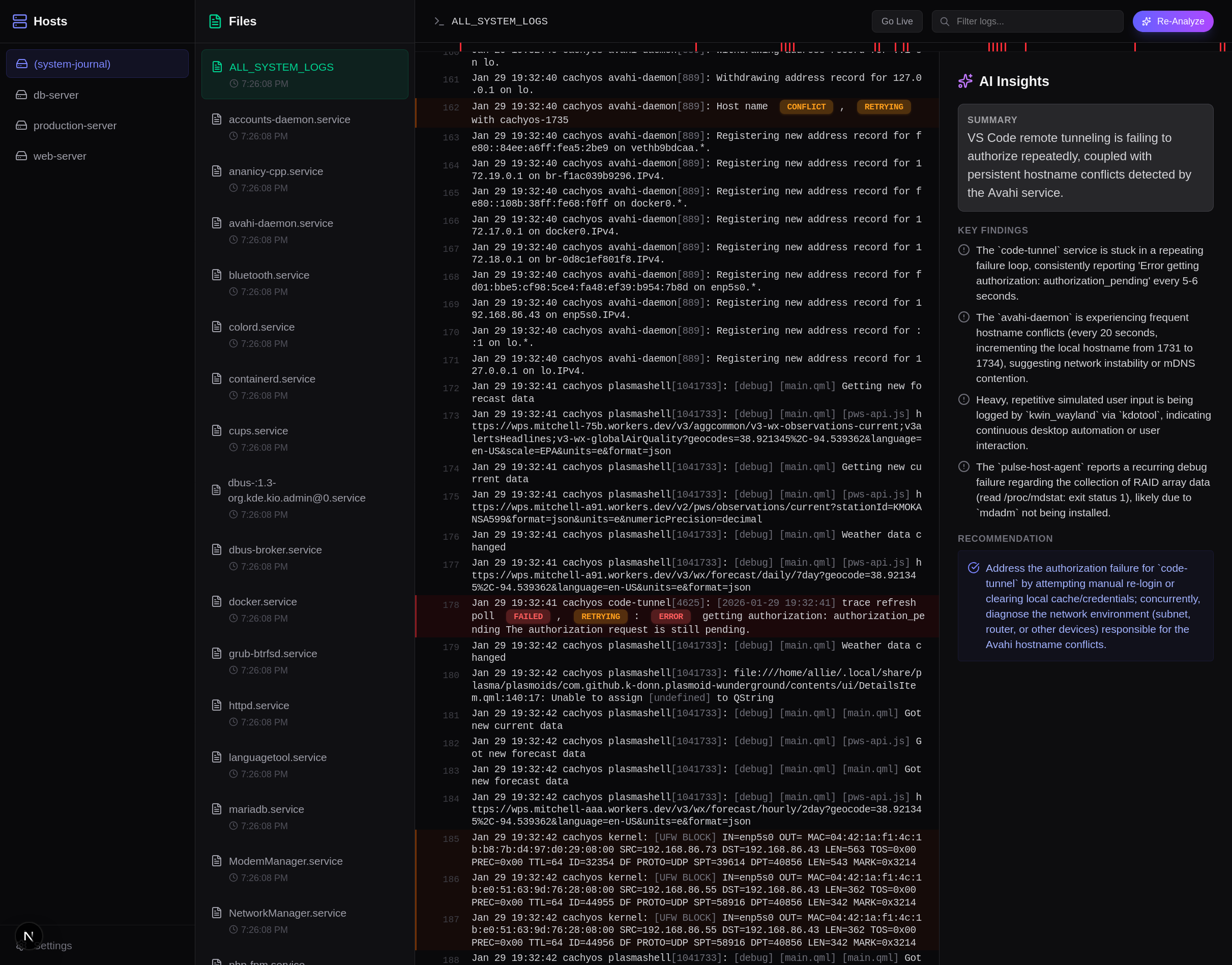
Alogi showing live log tailing with AI analysis panel

Live tailing with AI-powered root cause analysis.

Everything you need, nothing you don't

Terminal-grade speed with a UI that surfaces patterns you'd miss scrolling raw output.

Live tailing

Stream logs in real-time with auto-scroll. Pause to inspect, resume to catch up.

AI analysis

Ask Gemini, OpenAI, or Claude to summarize errors, find root causes, and suggest fixes.

Smart highlighting

Severity heatmap, JSON pretty-printing, and keyword coloring make patterns obvious at a glance.

System journal

Browse systemd services and read journalctl output without leaving the app.

Remote SSH

Connect to remote servers over SSH with key or password auth. No agents to install.

Docker logs

List running containers and tail logs from any Docker host over SSH.
Three steps to clarity

Connect your sources, find the signal, let AI explain it.

1

Connect

Point Alogi at a local log directory, add SSH hosts, or browse the system journal. Setup takes seconds.

2

Inspect

Tail logs live, search across files, and use the severity heatmap to spot error clusters instantly.

3

Explain

Hit analyze and get an AI summary with root causes, affected services, and recommended next steps.

Get started in one command

Prebuilt packages for major Linux distros. No runtime dependencies.

Ubuntu / Debian

Native .deb package for apt-based systems.

# Download to /tmp to avoid apt sandbox warnings on locked-down $HOME
curl -L -o /tmp/Alogi-amd64.deb https://github.com/allisonhere/alogi/releases/latest/download/Alogi-amd64.deb
sudo apt install /tmp/Alogi-amd64.deb
Download .deb

Arch / CachyOS

Pacman package, ready to install.

curl -LO https://github.com/allisonhere/alogi/releases/latest/download/alogi-arch.pkg.tar.zst
sudo pacman -U alogi-arch.pkg.tar.zst
Download pacman pkg

Run the UI in your browser

Serve the same UI over HTTP without the desktop window.

Local (default)

Runs on your machine only. Opens in the browser.

alogi --web --open

Default URL: http://127.0.0.1:3000

LAN access

Expose the UI to your local network on port 8111.

alogi --web --host 0.0.0.0 --port 8111 --open

Open from another device: http://<your-host-ip>:8111

Need help?

Open an issue with your distro, architecture, and relevant logs.

Open an issue